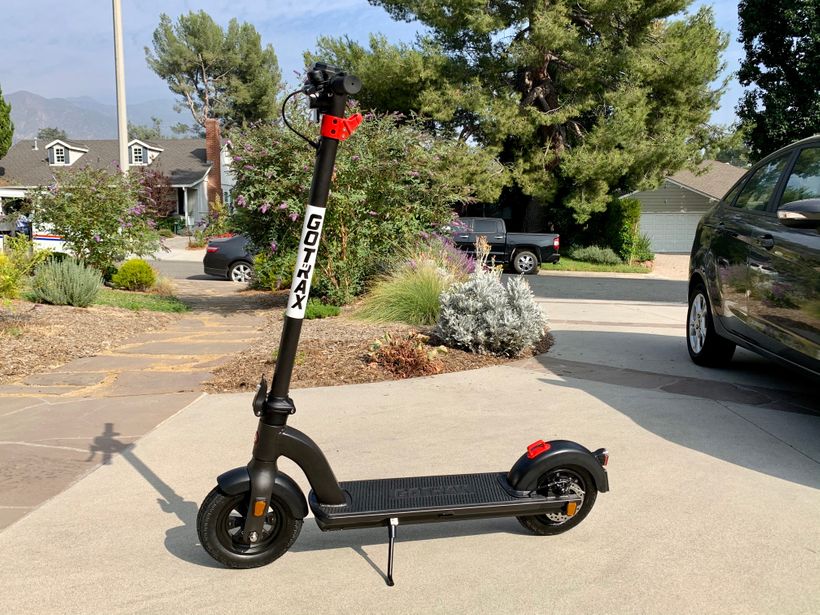
If you’ve been riding your Gotrax G4 Pro and feel like it’s holding back on you, you’re probably right.
Like most electric scooters, the G4 Pro ships with a speed limiter baked in. It’s there partly for legal reasons and partly because manufacturers want to cover themselves if someone goes flying off their scooter and decides to sue.
The good news? Getting past it isn’t rocket science. The bad news? It does come with some caveats worth knowing before you start.
A quick heads-up before we get into it: Riding a derestricted scooter on public roads is illegal in most places and will again make you void your warranty. This guide is intended for private property use, off-road riding, or track use only.
Also keep in mind that going beyond the factory speed limit puts extra stress on the motor, battery, and brakes, so ride smart.
What the Speed Limiter Actually Does
The Gotrax G4 Pro is factory-set to cap out at around 20 mph. This is the federal limit for e-scooters in the US, and it’s enforced through the controller settings rather than anything physically blocking the motor. That means it can be changed through software, which is exactly what we’re going to do.
How To Make the Gotrax G4 Pro Scooter Faster
Method 1: Adjusting the Settings Through the Display
This is the easiest starting point and doesn’t require any tools or extra hardware.
- Power on your scooter and hop on the display menu by pressing and holding the power button for a few seconds.
- Navigate to the speed settings. On the G4 Pro, you can usually find a “Speed Mode” or “P-Settings” section by pressing the power button and the throttle together. The exact button combo can vary slightly depending on your firmware version.
- Look for a parameter labeled P1 or Speed Limit. This controls the maximum speed percentage relative to the motor’s output.
- Increase the value incrementally. Most users report that pushing this to 100% gives you the full, unrestricted output from the motor.
- Save the settings and take it for a slow test run before going full throttle.
Keep in mind this method works on many Gotrax units, but not all of them, since Gotrax occasionally updates its firmware and locks certain settings. If your display doesn’t show these options, move on to Method 2.
Method 2: Using the Gotrax App
Gotrax has a companion app for the G4 Pro that connects via Bluetooth. It gives you a bit more control over the scooter’s settings than the handlebar display does.
- Download the Gotrax app on your phone and pair it with your scooter.
- Go into the settings section and look for speed or riding mode options.
- Switch the riding mode to Sport or Turbo if available. This alone can unlock a noticeably higher top speed.
- Some users have found a hidden speed ceiling setting buried in the advanced options. It’s worth poking around in there before assuming the app can’t help.
The app method is non-invasive and fully reversible, so it’s a solid first move before you try anything more hands-on.
Method 3: Hardware Modification (The More Committed Route)
If the software options haven’t gotten you where you want to be, the next step is looking at the controller itself. This is where things get a little more involved.
The speed limiter on the G4 Pro is enforced by the Electronic Speed Controller (ESC). Inside the scooter’s controller board, there’s a wire or a small resistor that signals the max speed to the system. On some models, cutting or bypassing this wire removes the cap entirely.
Here’s the simplified process:
Remove the deck panels to access the controller box. You’ll need a Phillips screwdriver and possibly a plastic pry tool.
Locate the controller, which is usually a black box near the battery compartment.
Look for the speed limiter wire, often a separate wire (sometimes yellow or green, though this varies by production batch) running from the controller to the motor.
Disconnect or cut this wire. On some units, there’s a resistor on the circuit board that serves the same function. Removing it has the same effect.
Reassemble everything, power up, and test carefully in a controlled space.
Fair warning: this method voids your warranty immediately, and if you’re not comfortable working with electronics, it’s easy to damage something. If you go this route, take photos at every step so you can trace your way back if needed.
Method 4: Full Electronic Component Upgrade
If you’ve made it this far and you’re still not satisfied, there is one more option on the table.
You can strip out the G4 Pro’s motor, controller, and battery entirely and replace them with higher-performance aftermarket components. Essentially, you’d be keeping the scooter’s frame and rebuilding everything inside it from scratch.
In theory, this works. The G4 Pro has a solid deck and frame, and with the right parts, you could turn it into something significantly faster and more powerful than anything Gotrax ever intended.
We’re talking a custom brushless motor with a higher KV rating, a beefier controller that can handle more voltage, and a larger battery pack to feed the whole system.
Sounds exciting, right?
Here’s the thing, though. By the time you price out a quality motor, a compatible controller, a lithium battery pack with enough capacity to make the upgrade worthwhile, and all the wiring and connectors to tie it together, you’re easily looking at $400 to $800 or more in parts alone.
And that’s before factoring in the hours you’ll spend sourcing compatible components, figuring out whether they’ll actually fit the frame, and troubleshooting whatever inevitably goes wrong on the first test ride.
At that point, you have to ask yourself an honest question: why?
For that same budget, you could walk away with a purpose-built performance scooter that already does everything you’re trying to achieve, comes with a warranty, has proper safety certifications, and doesn’t require you to become an amateur electrical engineer on the weekend.
Scooters like the YUME Raptor 2 are built from the ground up for speed and performance. They’re tested, they’re reliable, and they’ll outrun anything you could cobble together on a G4 Pro frame.
The component upgrade route makes sense if you genuinely love the hobby of building and modifying, and the destination matters less to you than the journey. But if your actual goal is a faster ride, just buy a faster scooter. It’s cheaper, safer, and a whole lot less frustrating.
What to Expect After Derestricting
Once the limiter is gone, the G4 Pro can push past 25 mph depending on rider weight, terrain, and battery charge. The acceleration feels noticeably snappier, especially in the lower speed ranges.
A few things to keep in mind going forward:
- Your brakes now matter more than ever. The stock brakes on the G4 Pro are decent, but at higher speeds you need more stopping distance. Consider upgrading the brake pads if you plan to ride fast regularly.
- Battery drain increases. Running the motor harder means the range takes a hit. Don’t count on the same mileage you were getting before.
- Heat builds up faster. Keep an eye on the motor and controller after longer rides. If anything feels unusually hot, give it time to cool down before going again.
The Bottom Line
Removing the speed limiter on the Gotrax G4 Pro is doable, and for private use on a track or closed property, it opens the scooter up to what it can actually do.
Start with the software methods since they’re risk-free and reversible. Only move to the hardware route if you’ve exhausted those options and you’re comfortable getting into the electronics.
Just ride responsibly, wear your gear, and keep it off public roads where it counts.