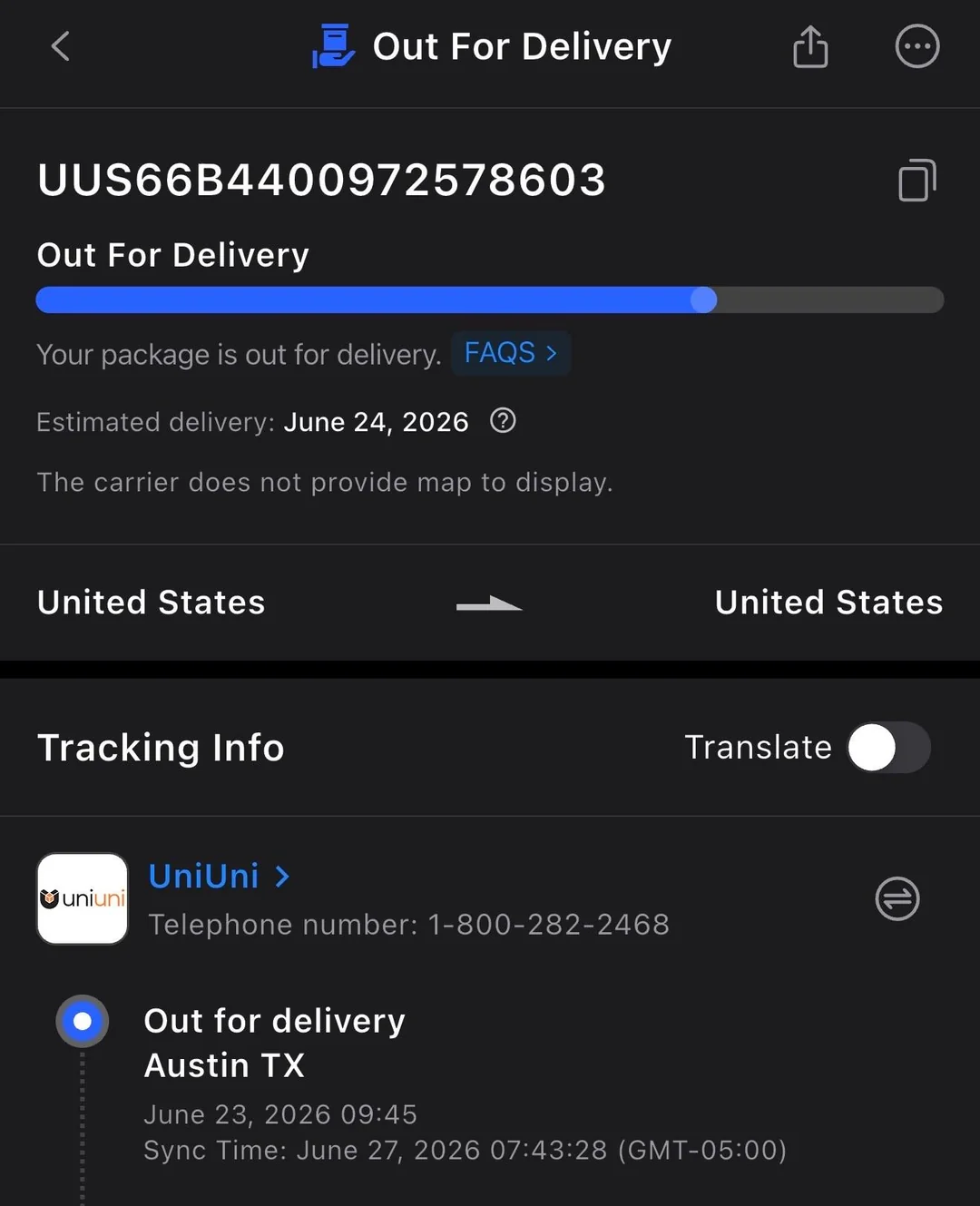
You’re refreshing your UniUni tracking page for the third time today, and there it is again: “Out for Delivery.” Except this isn’t the first time you’ve seen those words. It was there yesterday too.
And the message you got from a UniUni tracking update two days ago showed your package sitting in a completely different city than the one you live in. If you’re starting to wonder whether your package has developed a mind of its own, you’re not alone, and you’re definitely not imagining things.
Let’s clear this up properly.
What “Out for Delivery” Actually Means
When your UniUni tracking shows “Out for Delivery,” it means a driver has physically loaded your package onto their vehicle and it’s part of that day’s active delivery route.
It’s not sitting in a warehouse anymore. It’s not waiting to be sorted. It’s on the move, riding along with dozens (sometimes over a hundred) other stops that same driver has to make before their shift ends.
Delivery windows can run from early morning all the way to 9 or 10 PM, sometimes even later during busy periods.
So seeing this status at 8 AM doesn’t mean your doorbell is about to ring in the next hour. It means you’re somewhere on a list, and where you land on that list depends on the driver’s route that day.
Why You Might See It More Than Once
This is the part that trips people up the most, and it’s worth explaining clearly because it’s completely normal with UniUni.
UniUni drivers are independent contractors handling large routes, often well over a hundred stops in a single day.
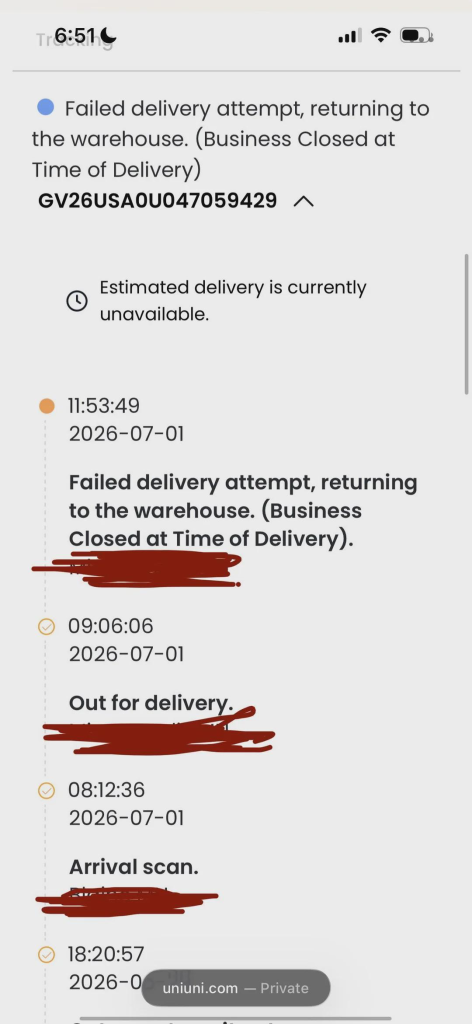
If a driver runs out of time, hits traffic, or simply can’t get to every address before their shift wraps up, the packages that didn’t get delivered don’t just vanish into limbo.
They roll over automatically to the next day’s route. Your tracking status doesn’t reset to “in transit” or “pending.” It stays right there at “Out for Delivery,” because technically, that’s still true. It’s just going to be out for delivery again tomorrow.
Some shoppers have reported watching this status persist for two, three, even more days in a row before the package finally lands on their porch. It’s frustrating to watch, but it doesn’t automatically mean something has gone wrong. It usually just means your stop got bumped to tomorrow’s list.
Why the Location Sometimes Changes
Here’s where things get a little more interesting. Because UniUni runs a large network of sorting hubs and local facilities across North America, your package’s journey isn’t always a straight line from point A to point B.
If a delivery attempt fails, or if a route gets reorganized, your package can get rerouted through a different local facility before going out again.
This is why you might see “Out for Delivery” tagged to one city, and then a day or two later, see it tagged to a facility somewhere else entirely.
It’s not a mistake, and it doesn’t mean your package is lost. It usually just reflects how the driver network reassigns stops when the original attempt doesn’t go through, or when a package needs to be handed off to a different local hub that’s better positioned to complete the delivery.
Think of it less like a single train on one track, and more like a relay race where the baton occasionally passes to a different runner closer to the finish line.
When to Actually Worry
Most of the time, patience is the right move here. But there are a couple of signals worth paying attention to.
If your tracking has shown “Out for Delivery” for more than 24 hours in a city area without any “Attempted” update appearing, it’s worth checking your tracking portal for a proof-of-delivery photo first.
Sometimes a delivery attempt happens and gets photographed, but the status update on your end lags behind. In rural or lower-density areas, this lag can stretch out to 48 or even 72 hours and still resolve on its own, simply because routes are longer and less frequent out there.
If several days pass with genuinely no movement and no photo, that’s your cue to reach out to UniUni support directly with your tracking number, rather than continuing to refresh the page and hope.
What To Do While You Wait
A few small things can actually make a real difference while your package works its way through the system.
Keep your delivery instructions updated ahead of time. Once a package shows “Out for Delivery,” updates to gate codes, unit numbers, or special instructions may not reach the driver in time, so it helps to get these details right before that status even appears.
Check in with people around you. If a status shows a completed delivery but nothing has physically shown up, it’s worth asking housemates, checking with a building’s front desk, or peeking around porches and side doors before assuming the worst.
Give holiday periods extra room. Order volumes spike, driver availability shifts, and routes get longer. If your “Out for Delivery” status lands right around a major holiday, build in an extra day or two of patience before getting concerned.
The Bigger Picture
UniUni has grown into one of the busier last-mile delivery networks in North America, moving over a million parcels a day through a sprawling web of local drivers and sorting facilities.
That scale is exactly why the tracking experience can feel a little chaotic at times. With that many moving parts, hiccups like repeated statuses and facility switches aren’t signs of a broken system. They’re just what happens when a massive, decentralized delivery network handles an enormous volume of packages every single day.
So the next time your tracking page throws “Out for Delivery” at you for the second or third time, or shows your package hopping between cities you didn’t expect, take a breath. In most cases, your package hasn’t gone off the rails. It’s just working its way through a genuinely complicated system, one stop at a time.