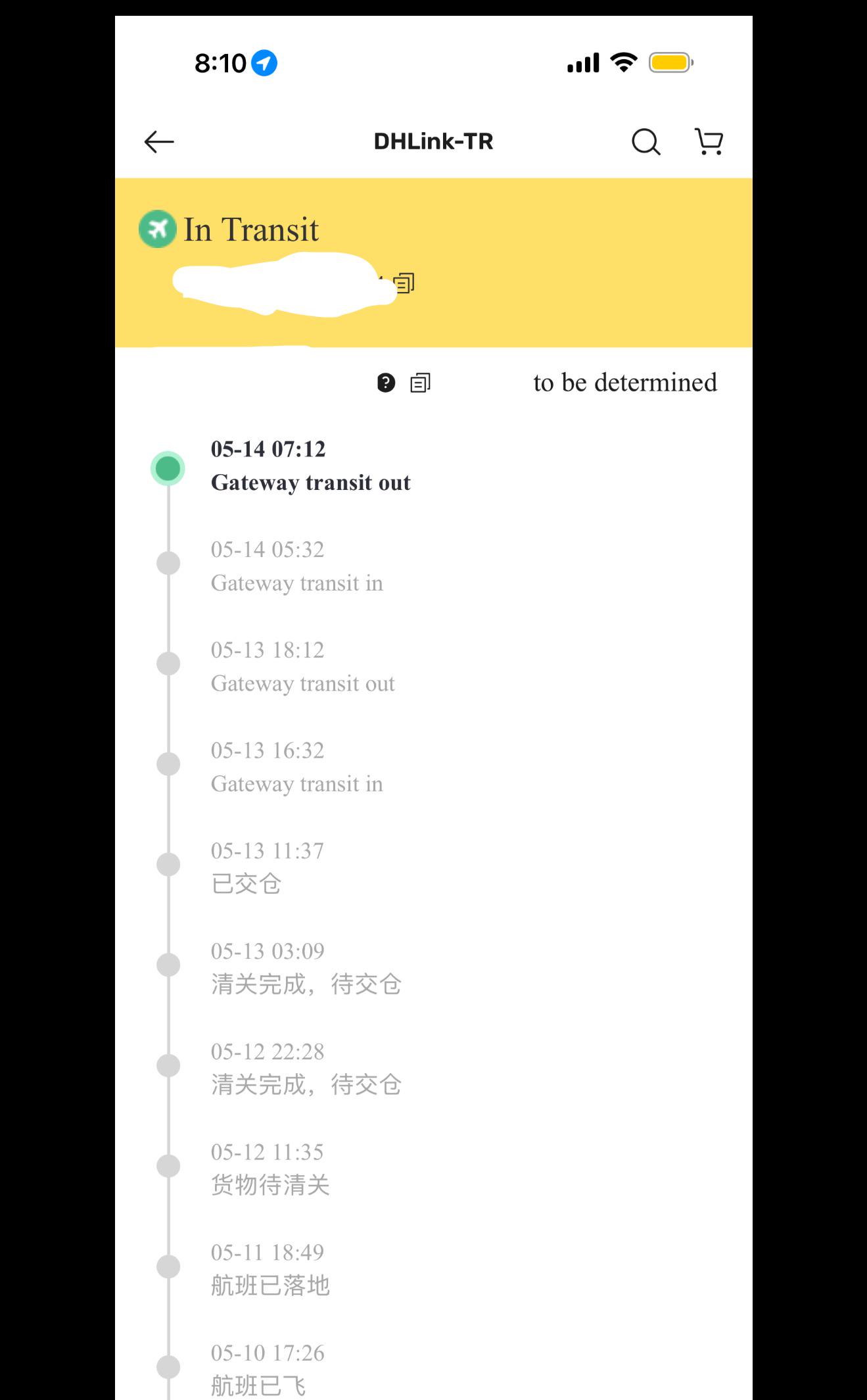
If your UniUni tracking just updated to “Gateway Transit Out,” the short version is that this status is a positive sign.
Your package has left a major sorting hub and is now moving toward your local area. Here is a full breakdown of what this status actually means, how it fits into the rest of your delivery journey, and what to do if the tracker seems to stall afterward.
What Does “Gateway Transit Out” Mean?
“Gateway Transit Out” means your package has departed a UniUni gateway facility, which is a large regional hub where thousands of packages get sorted and routed toward their next destination.
Once a parcel is scanned out of that gateway, it is officially on the move again, heading either toward another sorting facility or directly toward the local delivery hub closest to your address.
Gateway facilities are typically located in major logistics centers such as Los Angeles, Chicago, Dallas, Toronto, or New Jersey. It explains why it’s easy to see the ‘Gateway Transit Out’ tracking status shifting across different facilities as the package moves.
These hubs use a mix of automated conveyor systems and manual sorting to route an enormous volume of e-commerce parcels every day, so seeing your package pass through and depart one of these locations is a meaningful step forward in its journey.
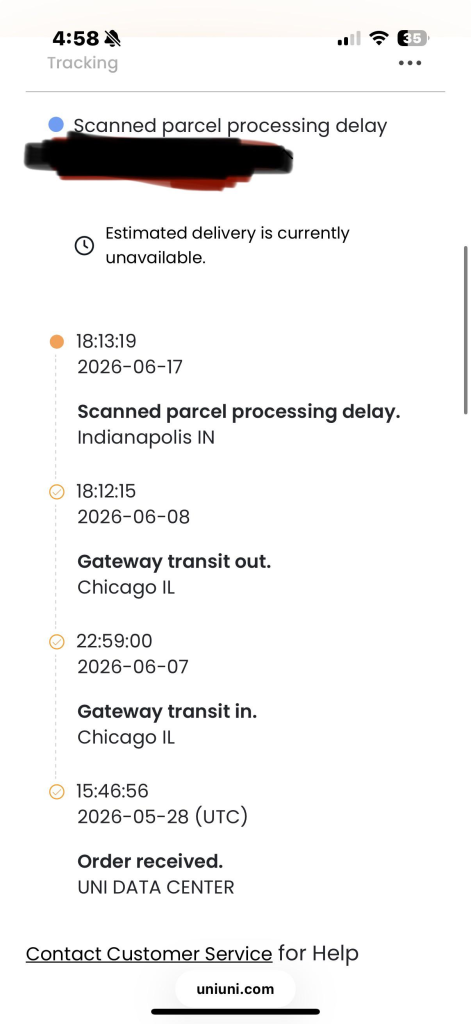
How Gateway Transit Out Fits Into The Full Delivery Timeline
To understand why this status matters, it helps to see where it sits in the bigger picture. A typical UniUni journey for a cross border e-commerce order looks something like this:
- Label created or shipment information received
- Package picked up or received by carrier
- Gateway transit in, the package arrives and is scanned into the major hub
- Sorting and processing at the gateway facility
- Gateway transit out, the package is scanned and departs the hub
- In transit to the next facility or local delivery hub
- Arrived at local facility
- Out for delivery
- Delivered
“Gateway Transit Out” is essentially the bridge between the long haul portion of the shipment and the final local delivery stage. If you saw “Gateway Transit In” earlier in your tracking history, this status is the natural follow up, confirming the package did not stay parked at the hub and is now heading toward you.
Other Status Wordings That Mean The Same Thing
UniUni tracking pulls updates from multiple facilities and shipping partners, so the exact wording you see is not always identical.
These statuses are functionally the same as Gateway Transit Out and simply reflect a package departing a facility and heading toward the next stop:
- In Transit to Next Facility
- Item departed
- Package loaded for transfer
- Parcel in transit to local UniUni delivery facility
- Parcel sent to local UniUni warehouse for delivery
- UniUni Interfacility transited
- Departed sort facility
- Departed origin facility
- Outbound scanned
- Gateway to gateway transit
- Transfer to destination facility
If your tracking shows any of these instead of the exact phrase “Gateway Transit Out,” you are looking at the same stage of the process.
How Long Does Gateway Transit Out Usually Last
For most shipments, this stage moves relatively quickly, often between one and four days before the next status update appears.
Many shoppers see “Out for Delivery” show up within a week of first seeing Gateway Transit Out, especially for domestic legs within the same country.
That said, timing can stretch longer during certain periods:
- Peak shopping seasons when parcel volume spikes across the network
- Cross-border shipments that require customs processing between the gateway and the next facility
- Long distance routes where the package needs to pass through more than one intermediate hub
- Weather disruptions affecting ground or air transport between facilities
If several days pass without an update, that alone does not mean something has gone wrong. UniUni processes a very high volume of parcels daily, and not every handoff between trucks or facilities generates an immediate scan.
Why The Status Might Seem Stuck After Gateway Transit Out
This is the point where a lot of shoppers start to worry, mainly because the tracking page goes quiet without explanation. A few things commonly happen behind the scenes during this gap:
Your package may genuinely be moving on a truck between facilities without a mid-route scan being logged. Handoffs between drivers, trucks, and secondary hubs do not always trigger a new tracking update, even though the parcel is progressing normally.
The package may be queued for local sorting once it reaches a facility near your address, waiting for a driver to be assigned to your specific delivery route. This is especially common if there is a temporary shortage of available drivers covering your area on a given day.
For cross border orders, the parcel may be sitting through an import customs step, which is a separate process from the gateway sorting you already saw. Customs review can add extra time before the next transit scan appears.
None of these situations mean your package is lost. They simply reflect normal gaps in a large scale logistics network.
What To Do If Gateway Transit Out Has Not Updated In Several Days
If your tracking has been stuck on this status for a while, work through these steps in order rather than jumping straight to a complaint or dispute.
- Give it at least 48 to 72 hours before assuming there is a real issue, since scan gaps between facilities are normal
- Double check your delivery address through the seller or marketplace account to rule out an address error causing a hold
- Cross check the tracking number on a third party tracker in addition to the official UniUni page, since update timing can vary slightly between them
- Contact the seller or marketplace if there has been no movement at all for seven to ten days, since they may have visibility into backend logistics details you cannot see
- Contact UniUni support directly with your tracking number if the delay clearly extends well past your estimated delivery date
Is Gateway Transit Out A Sign Of A Problem?
No. On its own, Gateway Transit Out is one of the more encouraging statuses you can see, since it confirms your package is actively moving rather than sitting idle.
The status only becomes a concern if it is the last update you see for an extended stretch, well beyond your original estimated delivery window, with no further scans at all. In that specific situation, following up with the seller or UniUni support directly is the right move rather than continuing to wait indefinitely.
Final Thoughts
Gateway Transit Out simply means your package has left a major sorting hub and is on its way toward local delivery.
It is a forward-moving status, not a warning sign, even though the tracking page can go quiet for a day or two afterward while the parcel makes its way through the network.
Understanding this status, along with the various wordings UniUni and its partners use for the same milestone, makes it much easier to read your tracking page with confidence instead of anxiety.