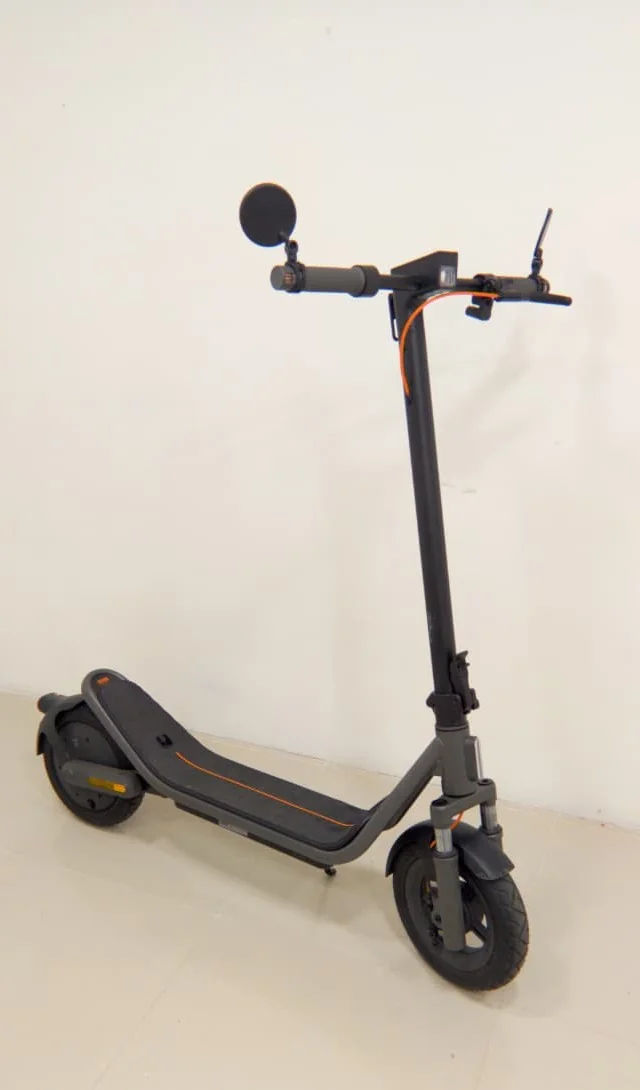
That first ride on the Xiaomi 6 Ultra feels quick and fun, until you hit the invisible wall at 25 km/h, and suddenly the scooter refuses to give you more.
It’s frustrating, especially when you know the motor has plenty left in the tank. In fact, the speed limiter on this scooter is the reason why more riders aren’t purchasing it despite the trending.
The good news is the same reliable methods that work on recent Xiaomi scooters still unlock the 6 Ultra perfectly in 2026.
No fancy tools or risky software flashes needed for most riders. Just a straightforward mechanical tweak that gives you 35 to 40 km/h or more, depending on your setup.
Getting Prepared
- Start by collecting a few basic items: a set of hex keys and screwdrivers that match your deck screws, a plastic pry tool, electrical tape, and a phone camera. That’s really it. Work on a clean, flat surface and keep everything organized so you don’t lose any small parts.
- Power the scooter completely off and flip it upside down carefully. Remove the deck cover by unscrewing the fasteners around the edges. Take a clear photo of the wiring before you touch anything. This simple step saves headaches later if you need to put it back to stock.
- Once the cover is off, look inside the controller area for a small looped blue wire. This is the speed limiter wire. It’s the one that forms a neat little bridge or loop and doesn’t run to any sensor or motor phase. Spot it, then either unplug the connector if it has one or cut the loop cleanly. Wrap the exposed ends with electrical tape to keep everything safe and dry.
- Put the deck cover back on, tighten the screws properly, flip the scooter upright, and reconnect the battery. Turn it on and take it for a careful test ride in an empty area. You will immediately notice the difference. The acceleration feels stronger, and the top speed climbs naturally without that sudden electronic cutoff. Once the speed is unlocked, jus know that there is an annoying beeping sound and there isn’t any way to silence it.
The tips and tricks shared on this video apply perfectly while doing the Xiaomi Electric Scooter 6 Ultra speed hack.
For riders who want even more precision or whose particular 6 Ultra batch needs it, the Bluetooth method still works great. Pair the scooter through the official Xiaomi Home app first, then use one of the trusted third-party scooter apps that let you adjust the speed parameters directly. The same profiles circulating in the community right now are fully compatible. Just keep the thermal limits and braking settings sensible so you don’t stress the components.
A few practical tips make this mod even better. Check your tire pressure before pushing the new speeds. Slightly higher pressure reduces rolling resistance and helps stability. Listen to the motor on longer rides. The 6 Ultra handles the extra pace well, but sustained high speeds in hot weather still need some respect. Keep your brakes in top shape. Fresh pads and proper adjustment give you confidence when you actually need to stop.
One important note: this modification will void your warranty. It may also change how the scooter is classified legally in your area, so ride responsibly. Wear a helmet, use lights at night, and always stay aware of traffic and road conditions.
Once you remove that limiter, the 6 Ultra transforms from a polite city commuter into something far more exciting. The extra speed feels natural, the ride becomes more engaging, and those longer stretches of road stop feeling restricted. If you’ve been holding back on the throttle, this simple change finally lets the scooter show what it can really do. Enjoy the ride, stay safe, and make the most of that unlocked power.
Upgrade To A Fast Scooter
Serious retailers such as YUME ship scooters when they are speed-limited using a provided remote control. You can restrict or derestrict the top speed with a touch of a button. Below is a video of how you can remove the speed limiter from a YUME scooter. Should you want to check them out, here are exclusive discount codes for all their rides.