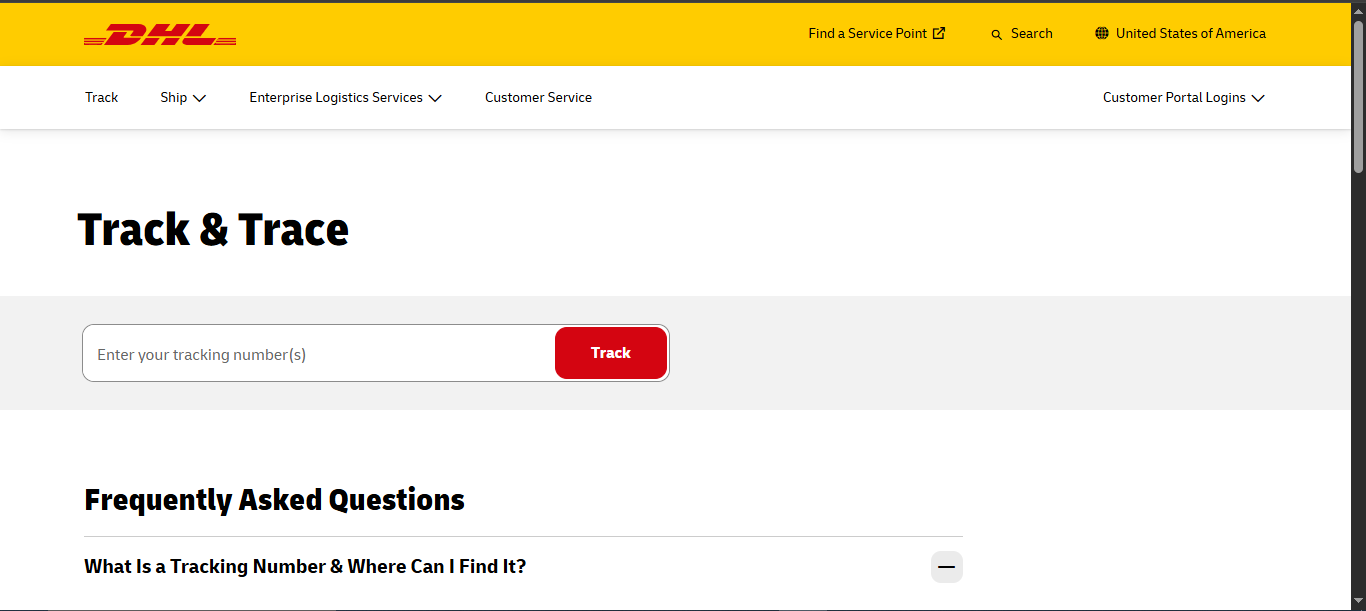
Every DHL shipment, whether it is a same-day Express envelope or a slow-moving eCommerce parcel crossing three borders, is tied to one thing: its tracking number.
Get that number right and the rest of the process is simple. Get it wrong, even by a stray space or a missing digit, and the tracking page will act like your package does not exist.
This guide walks through exactly how DHL tracking by tracking number works, how to recognize which type of code you are holding, where to actually search it, and how to read the results once you do.
Understanding What a DHL Tracking Number Is
A DHL tracking number, sometimes called a Track and Trace ID, is a shipment identifier generated the moment a shipping label is created.
That code stays attached to your parcel and connects every scan it receives from pickup to final delivery.
In some international routes, a local delivery partner or postal service also assigns a secondary reference number, so it is not unusual to see two different codes tied to the same shipment.
DHL operates several distinct business units, and the tracking number you are holding depends on which one handled your shipment: DHL Express, DHL eCommerce, DHL Global Forwarding, or DHL Freight.
Recognizing the format helps you understand what kind of delivery timeline and tracking detail to expect.
DHL Tracking Number Formats by Service
Not all DHL codes look alike. Here is how to tell them apart before you search:
- DHL Express: Commonly a 10-digit numeric code with no letters. This is the format most people picture when they think of a DHL Air Waybill (AWB) number, and it is used for time-definite international and domestic express shipments.
- DHL Parcel: Often begins with a prefix such as 3S, JJD, or JVGL, followed by a longer numeric string.
- DHL eCommerce: Frequently begins with prefixes like GM or RX and tends to run longer than the Express format, since it needs to encode routing information across DHL’s eCommerce network and its postal partners.
- DHL Global Forwarding: Appears in a few different patterns, including a single digit followed by two letters and four to six numbers (for example, 2AB45678), three or four letters followed by numbers (for example, CDF45678), or a three-digit carrier code followed by a dash and an eight-digit number.
- DHL Freight: Typically shorter, sometimes as few as seven digits, occasionally mixed with letters depending on the shipment type.
If your label shows spacing or dashes in the middle of the number, remove them before typing the code into any tracking field.
DHL’s system, along with most third-party tracking tools, expects a clean string of characters.
Where to Find Your DHL Tracking Number
Before you can track anything, you need the number itself. Check these sources in order:
- The shipping label. Look near the barcode, usually printed as “Waybill,” “AWB,” or “Tracking #.”
- Order or shipment confirmation email. Most online retailers automatically email a tracking number once a DHL label is generated.
- SMS notifications. Some merchants and DHL itself send shipment-created texts that include the code.
- Your account on the retailer’s site. Marketplaces like Amazon, eBay, and AliExpress typically display the tracking number inside your order history.
- Payment or invoice confirmations. Occasionally a payment receipt includes a direct shipment tracking link.
- The sender. If none of the above work, contact the merchant or shipper directly. They can confirm the correct number and the correct DHL division handling it.
A quick word of caution: do not confuse a retailer’s order number with a DHL tracking number. An order number is generated by the store for its own internal records and usually will not return results on DHL’s tracking system unless the merchant specifically states that it doubles as the tracking ID.
DHL Tracking by Tracking Number: How-to
Once you have the correct code, here are the ways to actually use it.
1. Track Directly on DHL.com
- Open the official DHL tracking page for your country.
- Enter your tracking number into the search box. DHL allows you to enter multiple numbers at once, separated by commas, tabs, spaces, or semicolons, which is useful if you are tracking several shipments together.
- Click “Track” and review the shipment status, most recent scan, and expected delivery date.
Keep in mind that DHL requires a minimum of 5 characters for a valid tracking number entry, and it is worth double-checking for any special characters that may have been accidentally included when copying the number.
2. Track Through MyDHL+ (DHL Express Shipments)
If your shipment was sent through DHL Express, MyDHL+ offers a more detailed view, including delivery status and proof of delivery.
- Log in to your MyDHL+ account, or track as a guest if that option is available.
- Enter the tracking number.
- Review delivery status, signature confirmation, and shipment history.
3. Track Using the DHL Express Mobile App
- Download the DHL Express app for iOS or Android.
- Scan the barcode directly off your label, or manually paste in the tracking number.
- Turn on push notifications so you get automatic alerts for pickup, out for delivery, and delivered events.
4. Track by WhatsApp
DHL supports shipment tracking directly through WhatsApp in several regions.
- Save the relevant WhatsApp number for your region (DHL UK and DHL Express US numbers are commonly published on DHL’s support pages).
- Send your tracking number as a message.
- Receive an automated status reply.
5. Track by Phone
- In the United States, call DHL’s automated line and say “Track a Parcel” when prompted, or wait to be connected with a representative.
- International customers should use their local DHL contact number, available on DHL’s country-specific website.
6. Track by Email
- Send an email containing your tracking number to DHL’s automated tracking address.
- Wait for the automated status reply.
7. Use a Multi-Courier Tracking Tool
If your shipment involves a handoff between DHL and a local postal service, or you are simply tracking several packages from different carriers at once, a multi-courier tracking tool can display DHL scan events alongside those from other carriers on a single page.
This is particularly useful for cross-border eCommerce shipments where the last leg of delivery is handled by a national postal service rather than DHL directly.
How Long Before a DHL Tracking Number Shows Results?
Tracking events usually appear 24 to 48 hours after a shipment is registered in the system. This delay exists because the first real tracking event is only created once the package has actually been handed over to DHL, not simply when a label was generated.
If you check immediately after receiving a tracking number and see nothing, that is normal. Check again in a day.
For DHL eCommerce shipments specifically, tracking often works on a milestone basis rather than a continuous scan-by-scan feed.
That means longer gaps between updates are expected, and the absence of a new scan does not mean the package has stopped moving.
Understanding DHL Tracking Statuses
As your DHL tracking number moves through the system, you will typically see it pass through a series of recognizable stages:
- Label Created – A waybill and tracking number have been generated by the sender, but DHL has not yet physically scanned the package.
- First Scan / Shipment Picked Up – The parcel has been accepted at the origin facility, and sorting has begun.
- In Transit – The shipment is moving between hubs, with scans typically appearing at each handoff point between facilities or carriers.
- Customs – For cross-border shipments, this stage covers document checks and any applicable duties or taxes that need to be resolved before the package can continue.
- Out for Delivery – The shipment is on a vehicle for final delivery that day, handled either by DHL directly or a local delivery partner.
- Delivered – The shipment has reached its final destination, sometimes accompanied by a proof of delivery signature or photo.
Some DHL Express shipments provide additional structured delivery time windows, such as next-business-day options around 9:00, 10:30, or 12:00, or standard end-of-day Worldwide delivery, depending on the service level purchased.
What to Do If Your DHL Tracking Number Isn’t Working
If you enter your tracking number and get no results, or the information looks wrong, work through these steps:
- Recheck the format. Copy and paste the number directly from your label or email rather than retyping it, and strip out any spaces or dashes.
- Wait it out. If the label was only just created, there may not be a first scan yet. Check again in a few hours or the next day.
- Consider a handoff lag. Cross-border shipments can show a temporary gap in tracking while the package transfers between DHL and a local postal or courier partner.
- Rule out an outdated number. On rare occasions, a tracking number can be reused or mistyped by the sender. Confirm the code directly with the merchant if nothing changes after 48 hours.
- Check delivered-but-missing situations carefully. If the status shows delivered but you cannot locate the package, check the proof of delivery details on the tracking page first, then ask neighbors or building staff, before contacting the sender to start a formal trace.
- Escalate through the right contact. For most retail purchases, the merchant is the one who needs to open an investigation with DHL, since they are the contracted shipper. If your shipment has not arrived within about 10 days of the expected delivery date, reach out to the merchant to start that process.
DHL Express vs DHL eCommerce Tracking: Key Differences
It helps to understand which DHL division is actually handling your shipment, since expectations around tracking detail and delivery speed differ quite a bit.
- DHL Express is built for speed and typically offers more granular tracking detail, defined delivery time windows, and proof of delivery. This is the service most business shipments and time-sensitive international packages use.
- DHL eCommerce is generally used for lower-cost retail shipping and typically provides milestone tracking rather than a scan at every single checkpoint. Delivery can take anywhere from a couple of days for neighboring countries up to around 20 days for long-distance international routes, and the final delivery leg is frequently handed over to a local postal service in the destination country.
Knowing which service applies to your shipment will save you from worrying unnecessarily when tracking looks quiet for a stretch of time.
Frequently Asked Questions
Can I track a DHL shipment without a tracking number? Generally no. If you do not have the number, the fastest solution is to contact the shipper directly. In some cases a reference number provided by the sender may also work depending on which DHL business unit is handling the shipment.
Why does my DHL tracking number show no updates yet? This is normal in the first 24 to 48 hours after a label is created, since the first tracking event only appears once DHL physically receives the shipment from the sender.
Can I track more than one DHL shipment at once? Yes. DHL’s tracking page and most third-party tools allow you to enter multiple tracking numbers at the same time, separated by spaces, commas, or line breaks.
What does “customs” status mean on my DHL tracking? It means your international shipment is being reviewed at the border, which may include a check of shipping documents and the assessment of any applicable duties or taxes before it can continue toward delivery.
My package shows delivered, but I never received it. What now? Check the proof of delivery information on your tracking page first, then check with neighbors or building staff. If the package is genuinely missing, contact the merchant or shipper so they can open an investigation with DHL.
Final Thoughts
Tracking a DHL shipment by tracking number comes down to three things: knowing which format you are dealing with, entering it correctly, and understanding what each status update actually reflects for the specific DHL service involved.
Once those three pieces click into place, you will be able to read any DHL tracking page with confidence, whether you are watching a fast Express delivery or a slower eCommerce parcel making its way across the world.